Generate presentation images and continuity-aware video scenes from JSON, text, or a guided builder.
Build up to 25 slides, review the strongest variants, then merge recommended 12-second scenes into a
longer hosted movie that keeps the same voice and narrative arc.
Sign in above to start generating.
Example outputs
Review the same source story as a presentation deck or as one continuity-aware hosted movie.
Example slideshow
Preview a full deck run with live slide imagery, speaker notes, and presentation-style captions.
This example shows how Slides Lab turns one structured presentation into a deck you can review slide by
slide before you export it or convert the strongest story path into video.
Slide captions keep the story legible while you review the full deck
Speaker notes and structured prompts stay visible enough to catch narrative gaps early
Presentation review happens before you commit the sequence to narrated video scenes
Example movie
See how connected 12-second scenes become one longer hosted movie instead of unrelated clips.
This sample movie was built from connected presentation scenes, then merged into one long-form asset that
keeps the same voice, pacing, and narrative flow from the opening frame through the closing scene.
One hosted movie the viewer can watch as a continuous walkthrough
Consistent voice and speech pacing instead of per-clip resets
Natural scene handoff so the story reads like one presentation, not a clip playlist
Example movie preview is temporarily unavailable.
One source deck. Two production outputs.
Start with the same presentation structure, then choose the format that best fits the audience.
Recommended for decks
Presentation images
Turn JSON, freeform text, or builder input into polished slide imagery with multiple variants per slide.
Keep your structure explicit, preserve speaker notes, and export ZIP or PDF when the deck is ready.
JSON-first workflow for predictable layouts and reusable prompts
Guided builder for fast visual iteration without writing raw JSON
Variant review before you commit to the final deck
Recommended for walkthroughs
Narrated video scenes
Convert selected slides into continuity-first clips with narration, speech pacing, and consistent scene
handoff. The video flow rewrites each slide for motion, then merges those recommended scenes into a
longer hosted movie so the viewer gets one continuous story instead of a disconnected clip stack.
Continuity mode keeps the sequence visually connected from scene to scene
Narration JSON is rewritten to fit the target scene duration and speech pace
Recommended default uses 12-second scenes for predictable movie pacing
Merged long-form movies preserve voice continuity and the original narrative handoff
Closed Beta
Join our early community
Slides Lab is in closed beta. Early users get free credits every month,
higher quotas, and help shape the product. No credit card needed.
6free credits per month
$0to get started
Advantages you can feel on every run.
Speed, control, and flexibility without the clutter.
Speed via parallelization
Generate multiple slides simultaneously instead of waiting on one-at-a-time renders.
Config & detail control
Explicit tokens for style, lighting, and camera keep each slide on-spec.
Flexible inputs
Start from JSON, narrative text, or the manual builder, then branch into image decks or narrated video.
Transparent pricing
Pay by output with clear recommended image, scene, and long-form movie guidance at the settings we recommend most.
Variants that matter
Generate alternatives fast and keep only the best for the final export.
How it works
From idea to export-ready slides in four steps.
1
Enter your topic
Paste JSON, type a narrative, or use the guided builder to describe your slides.
2
Choose a style
Pick a visual direction — lighting, camera angle, and aesthetic tokens dial in the look.
3
Review images or prep video scenes
Slides render in parallel, then you can either keep the best variants or convert chosen slides into video-ready scenes.
4
Export the final format
Download a deck as PDF or ZIP, or generate a unified narrated movie from the same source presentation.
What you get
Real output from Slides Lab — generated in seconds, not hours.
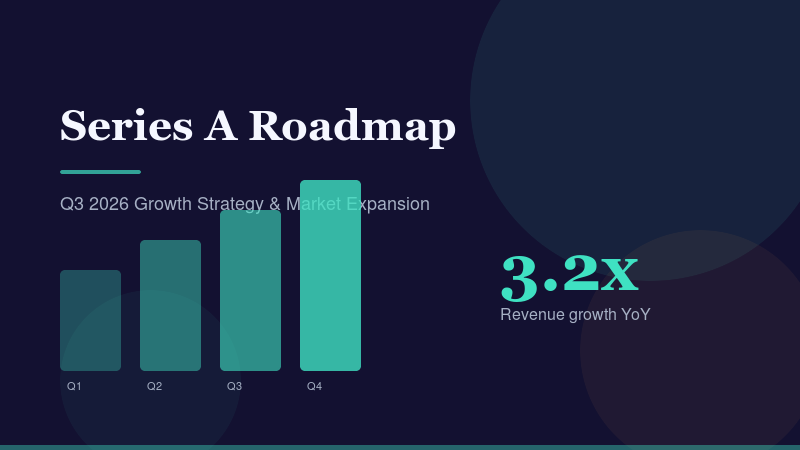
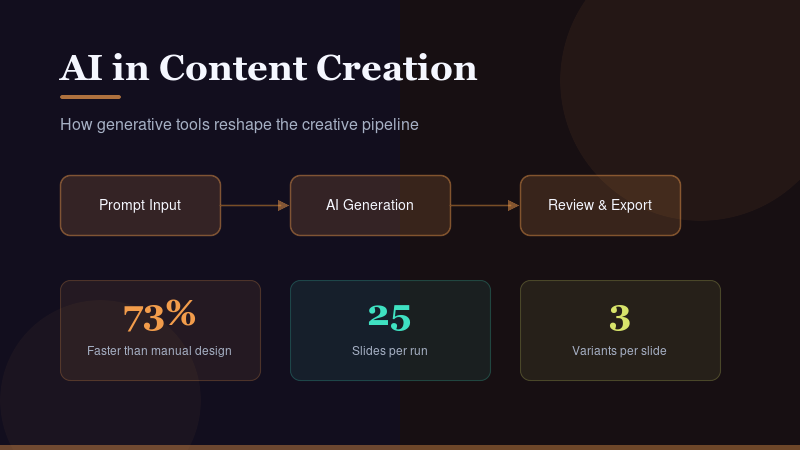
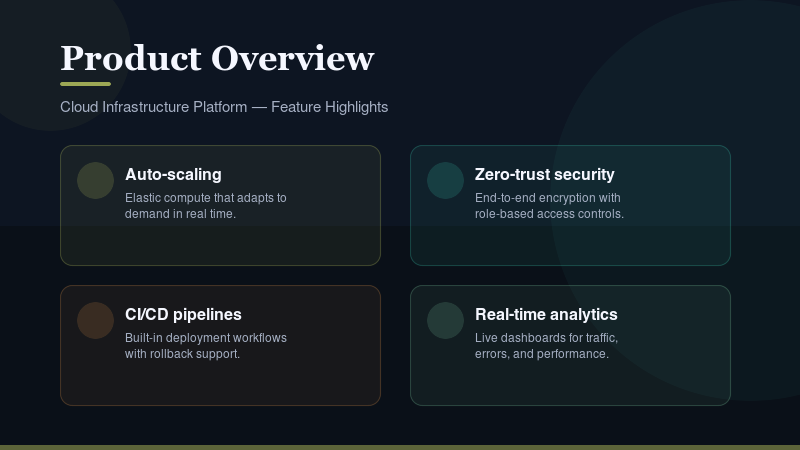
Pitch deckGenerated in 90 seconds from a text promptWebinar slidesAuto-created from a topic promptProduct overviewBuilt from a JSON spec in one run
Review requests, manage credits, and orchestrate new runs without losing momentum.
Your account keeps the studio state, credits, and exports in sync across sessions.
Keep your placeActive jobs and drafts stay linked to your login.
Credits, trackedSee balances and usage before you start a render.
Build cohesive slide art from JSON, text, or a guided builder. Generate up to 25 slides with up to three
variants each, review the best takes, and export ready-to-present assets in minutes.
Ready to build.
Start generating now.
Pick a mode to launch your first run.
Choose what you are building first. This target carries into Review.
Image-to-video
Animate an ordered image sequence
Upload 1–25 images, confirm their order, and optionally describe the motion for each slide.
1. Add and order images
Files start in natural filename order. Drag to reorder with a pointer, or use the keyboard-accessible Move controls.
0 / 25
Save this project to a file, or restore an exported one; source access is verified after import.
Replace the current draft with the imported project?
Drop images here or choose filesPNG, JPEG, or WebP · 20 MiB each · 100 MiB total
No images yet.Your first selection can contain up to 25 slides.
Every shot includes keyboard-accessible Move earlier and Move later controls, plus Replace and Remove.
Image removed.
2. Shot form
Select a shot to edit it here.
No shot selected.Choose a shot to set its motion, camera, and story note.
Motion is resolved per shot first, then the global motion instruction, then the built-in default.
3. Sequence settings
4. Describe the sequence
Describe the whole story once and generate a motion prompt for every image.
Generate descriptions for every included image?
5. Bulk motion instructions
Leave any image blank to use Default motion.
Applies to every image unless its Per-image motion override is filled in.
Per-image motion overrides can be set directly on every image. Applying a partial mapping preserves existing overrides for omitted images.
6. Estimate and generate
Server estimate--
Pricing is calculated only by the server after every image is uploaded.
Discard this local draft and release its unattached uploads?
Choose images to begin.
Sequence JSON
The same project file Save and Import use. Edit it here and apply it back to the form. Download editor text writes exactly what is below, including unapplied edits; Save project JSON on the Form tab writes the current draft.
The draft changed since this JSON was loaded. Your edits are kept until you reload.
Paste or drop JSON
Drop a JSON file or paste the full presentation spec.
Tip: use Describe the deck to generate a JSON spec from a brief, then come here to paste or drop it and open it in the builder for fine-tuning.
Drop JSON here
or click to browse
JSON structure tips
Start with presentation_id, language, and a slides array.
Each slide supports base.subject, camera, lighting, and background tokens.
Use with_text.text_overlay to control overlay placement.
Upload a video file (mp4 recommended, max 100 MB).
Leave empty to clear any old poster so the landing page uses the current video frame instead.
Public URL of the video to import.
Leave empty to clear any old poster so the landing page uses the current video frame instead.
Landing slideshow manifest
Video providers
Set Edge secrets, then enable families. Missing keys block enable ON.
API key status loads with config…
Beta access
Switch between open signup and admin-approved closed beta.
Limits
Load the overview to edit config.
Loading models...
Model Configuration
Manage image and text model catalogs.
Image model catalog
Controls which models appear in the app dropdowns. Order matters.
Known models keep pricing + tooltip metadata for the user UI.
Text generation model
Used for text-to-JSON and slide drafting.
Text model catalog
Add extra text models without changing the current default.
Keep at least one model active. Default stays with the text model above.
Loading pricing...
Pricing & Packages
Configure credit pricing, packages, promotions, and storage plans.
Promotion
Set a global bonus on all credit packages. Set bonus to 0 to disable.
Credit Packages
Configure pricing, discounts, storage, and display order for each credit package.
Boost Pack Catalog
Configure in-app boost token packs purchased with credits.
Storage Plans
Configure storage subscriptions: price, slots granted, and duration.
Image Model Pricing
Configure pricing per image for each model, quality, and size combination.
Load config to view pricing.
Loading analytics...
Generation Time Analytics
Performance metrics for image and text generation.
Loading...
Loading users...
Users
Search by email or username, add credits, or suspend access.
Page 1
Loading waitlist...
Load the waitlist to review applications.
Page 1
Loading jobs...
Recent jobs
Loading contact requests...
Contact requests
Page 1
Video Recovery Ops
Command deck
Lookup one movie or scan the recoverable queue
Use this panel to look up one movie or scan recovery candidates that can continue stitching after continuity failures.
Supported identifiers: movie ID, movie URL (#video/...), movie segment ID,
video-job ID / job URL, user UUID / user email, or title fragment.
One input works for every identifier type. Use mode only to force strict matching for operators.
Use Lookup movie for one movie detail, then run continue flow on the selected movie.
Use Scan recoverable candidates to list jobs that can continue stitching (stalled + recoverable).
Pick a movie with lookup mode (optional) or leave auto-detect on.
Run Lookup movie to open full chain status.
Press Continue chain now to invoke videos-finalize-sweep.
Stuck-only uses cooldown/staleness gates. All recoverable includes additional continuity-manual cases.
Result workspace
Waiting for a lookup or recovery scan
Results stay here so operators can compare lookup details, candidate scans, and recovery actions without losing context.
Loading...
Run a lookup or scan to populate this workspace.
Lookup returns one movie with chain details and recovery actions. Scan returns stalled or recoverable candidates with reason chips and direct resume controls.
Pay per output. Keep the same credits balance for slide images and recommended 12-second video scenes, then merge those scenes into one longer hosted movie with the same voice and narrative continuity.
Currently in closed beta. Payments will be enabled at launch.
Credits never expire
Secure payments
Cancel anytime
Limited Offer+% bonus credits
Recommended presets
Clear output math at the settings we recommend most
Package examples below use the same recommended image and video presets, so the counts stay easy to compare. Those recommended 12-second video scenes can then be merged into one longer hosted movie without resetting the voice or narrative.
Images
Loading recommended image preset...
Video
Loading recommended video preset...
Long-form movie
Chain recommended 12-second video scenes into one longer hosted movie that keeps the same voice, pacing, and narrative continuity.
Free
Try it out
$0
per month
6 credits/month (beta only)
6 saved presentations (beta only)
Kept for 14 days
About -- images at recommended settings each month
About -- of video at recommended settings each month
Merge recommended scenes into one longer hosted movie with the same voice and narrative flow
2 parallel generations
2 boosted parallel generations
0 boost tokens monthly
Export as ZIP & PDF
No credit card required
Current plan
Concurrency Boost Packs
Use credits to buy extra fast-lane images when you need burst speed.
Storage subscriptions
Keep presentations and assets available long-term
Storage plans stay visible on Pricing so you can compare monthly retention separately from pay-per-use credits. Manage the active subscription under Billing.
Loading storage plans...
Billing
Plan and history now live under Billing
Sign in to manage plan and billing from your account page.
Credits cover image and video generation. The pricing cards use our recommended presets so you can see roughly how many images or video seconds each package buys before you start customizing settings.
Do purchased credits expire?
No. Purchased credits never expire. Only the free monthly quota resets each month.
What is the free monthly quota?
Verified users receive 6 free credits each month during beta (normally 3). Unused free credits expire at month end and don't carry over, but they're great for trying out the platform.
How are presentations saved?
Every generated presentation is automatically saved. Credit purchases include temporary bonus storage slots for 14 days so you can work on your presentations. For long-term storage, add a monthly storage subscription.
What does a storage subscription do?
A storage subscription keeps your saved presentations and their images accessible long-term. Choose from multiple plans with different slot counts and pricing to fit your needs. Without a subscription, images expire after 72 hours. If you cancel, there's a 7-day grace period before excess presentations are removed.
Can I add more storage separately?
Yes. Monthly storage subscriptions let you save more presentations without purchasing additional credits. Choose from the available storage plans in the storage section above. Presentations are kept while subscribed, with a 7-day grace period if you cancel.
Can I export the generated outputs?
Yes. Every plan includes full export capabilities. You can download individual images, export a presentation as a ZIP archive, generate a PDF deck, and use the same source slides to create narrated video scenes when video is enabled.
Is there a subscription?
Subscriptions are for storage only. Image and video generation stay pay-per-use credits with no recurring charges. Optional monthly storage subscriptions let you save more presentations. You can cancel anytime and keep access until the end of your billing period, plus a 7-day grace period.
Billing
Plan, usage, and billing operations
Manage your active plan, usage snapshot, transaction access, and future billing actions from one account page.
Sign in to manage your plan and billing.
Current releaseFree beta plan
Payments stay off for now, but this page is already structured for provider-managed plans and invoices.
6 free credits reset monthly
Recommended output pricing stays on Pricing
History and plan actions stay under Billing
Current plan
Free access, ready for upgrades later
Your account stays on the free beta tier until storage plans and payment providers are enabled.
Use monthly free credits before paid credits are touched
Keep presentations and assets under the current storage limits
Move to provider-hosted plan management when checkout goes live
This is a development environment. No real payment will be processed.
Removed from history.
Not enough credits.
Your video is ready.
Expiring Soon
Your presentation was saved but will expire soon.View in history
Storage Full
Saved presentations3/3 used
Expiring presentations2/2 used
Delete existing presentations or upgrade your plan to save more.
Permanent Deletion
This presentation is in its grace period and will be permanently deleted if not restored.
Presentation--
Grace period ends--
Would you like to restore this presentation or let it be deleted?
Terms of Service
Effective date: February 8, 2026
1. Introduction & Acceptance
Welcome to Slides Lab, operated by WavelyLabs. By accessing or using Slides Lab ("the Service"), you agree to be bound by these Terms of Service ("Terms"). If you do not agree to these Terms, do not use the Service.
2. Account Registration & Eligibility
To use certain features of the Service, you must create an account. You must be at least 13 years of age to use the Service. You are responsible for maintaining the confidentiality of your account credentials and for all activities that occur under your account.
3. Service Description
Slides Lab is an AI-powered slide imagery generation platform. The Service allows users to create, edit, and export slide imagery using artificial intelligence. Features and availability may change over time.
4. Credits, Purchases & Refunds
The Service operates on a credit-based system. Credits may be purchased through our payment provider, Lemon Squeezy. All purchases are subject to Lemon Squeezy's terms of service and refund policies. Credits are non-transferable. Refund requests should be directed to [email protected].
5. Intellectual Property
You retain ownership of content you upload to the Service. AI-generated imagery created through the Service is provided for your use subject to these Terms. You may use AI-generated output for personal and commercial purposes. WavelyLabs retains all rights to the Service itself, including its software, design, and branding.
6. Acceptable Use
You agree not to use the Service to: generate illegal, harmful, or infringing content; attempt to reverse-engineer or exploit the Service; circumvent usage limits or access controls; impersonate others or misrepresent your affiliation; or interfere with the operation of the Service.
7. Service Availability & Limitations
We strive to maintain high availability but do not guarantee uninterrupted access. The Service may be temporarily unavailable for maintenance, updates, or due to factors beyond our control. AI-generated output may vary in quality and may not always meet expectations.
8. Termination & Suspension
We may suspend or terminate your account if you violate these Terms or engage in conduct that we determine, in our sole discretion, is harmful to the Service or other users. You may delete your account at any time by contacting [email protected].
9. Disclaimer of Warranties
The Service is provided "as is" and "as available" without warranties of any kind, either express or implied, including but not limited to implied warranties of merchantability, fitness for a particular purpose, and non-infringement.
10. Limitation of Liability
To the maximum extent permitted by law, WavelyLabs shall not be liable for any indirect, incidental, special, consequential, or punitive damages, or any loss of profits or revenues, whether incurred directly or indirectly, or any loss of data, use, goodwill, or other intangible losses resulting from your use of the Service.
11. Governing Law
These Terms shall be governed by and construed in accordance with applicable laws, without regard to conflict of law principles.
12. Changes to Terms
We reserve the right to modify these Terms at any time. We will notify users of material changes by posting the updated Terms on the Service. Your continued use of the Service after such changes constitutes acceptance of the new Terms.
13. Contact
If you have questions about these Terms, please contact us at [email protected].
Privacy Policy
Effective date: February 8, 2026
1. Information We Collect
Account data: When you create an account, we collect your email address and authentication credentials.
Usage data: We collect information about how you use the Service, including slide generation requests, feature usage, and session data.
Payment data: Payment processing is handled by Lemon Squeezy. We do not store your full payment card details. We receive transaction confirmation and billing information necessary for credit fulfillment.
2. How We Use Information
We use collected information to: provide and maintain the Service; process transactions and manage credits; improve the Service and develop new features; communicate with you about your account and updates; and ensure the security and integrity of the Service.
3. Data Sharing & Third Parties
We share data with the following third-party services that are integral to the operation of Slides Lab:
Supabase — database hosting, authentication, and file storage
OpenAI — AI image generation processing
Lemon Squeezy — payment processing and subscription management
Cloudflare — content delivery, performance, and security
We do not sell your personal information to third parties.
4. Data Retention
We retain your account data for as long as your account is active. Generated images are retained according to your plan's storage limits. You may request deletion of your data at any time.
5. Your Rights
You have the right to: access the personal data we hold about you; request correction of inaccurate data; request deletion of your data; export your data in a portable format; and withdraw consent where processing is based on consent.
6. Cookies & Tracking
Slides Lab uses essential cookies for authentication and session management. We use minimal analytics to improve the Service. We do not use third-party advertising trackers.
7. Security Measures
We implement appropriate technical and organizational measures to protect your data, including encryption in transit and at rest, secure authentication, and regular security reviews.
8. Children's Privacy
The Service is not directed at children under the age of 13. We do not knowingly collect personal information from children under 13. If you believe a child under 13 has provided us with personal information, please contact us at [email protected].
9. International Transfers
Your data may be transferred to and processed in countries other than your country of residence. We ensure appropriate safeguards are in place for such transfers.
10. Changes to This Policy
We may update this Privacy Policy from time to time. We will notify you of material changes by posting the updated policy on the Service. Your continued use of the Service constitutes acceptance of the updated policy.
11. Contact
For privacy-related inquiries, please contact us at [email protected].
Contact
WavelyLabs
Slides Lab is built and operated by WavelyLabs.
For support, billing questions, or general inquiries: